
Blue Tooth Pairing
Our Hardware unit communicates with
the Android software through BlueTooth
Hence it is necesssary that we pair the
Hardware Unit Blue Tooth with software.
Pairing has to be done only ONCE
before using our Android software
Follow these simple Steps to PAIR
After switching Hardware unit ON
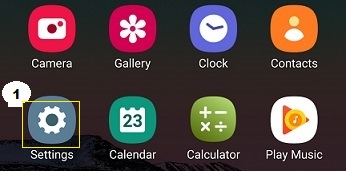 1. Go To settings in the Mobile
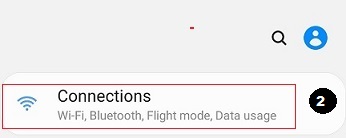 2. Click on Connection(WiFi, BT etc)
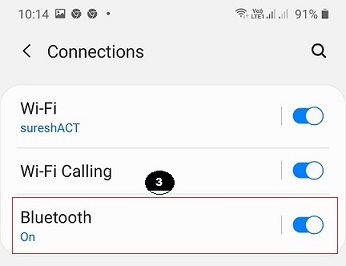 3. Swicth Blue Tooth ON.
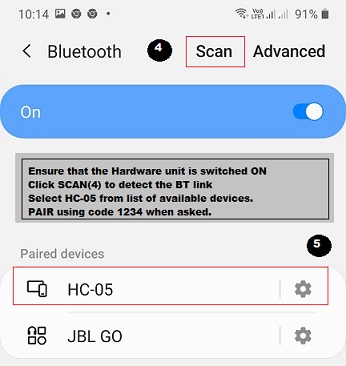 4. Scan for BT devices nearby.
You will bw shown all the available BT devices.
5. Select the HC-05 device shown
If prompted Click PAIR
Use 1234 as pairing code
Once pairing is done, we can select
the BT in our software as explained in
Configure section of Software
Link to Configuration
Back to Hradware Page
Back to AutoTele Main Page