
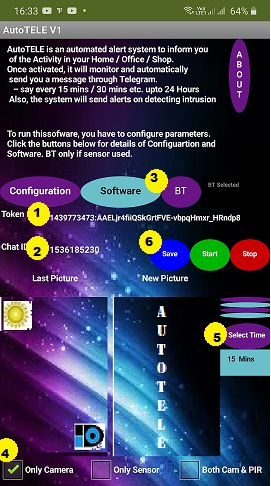
Procedure to get Token is in Software Page
Procedure to get ID is also in Software Page
unit and the software in Android Phone is wireless
by a Blue Tooth link. Hence you have configure it
The procedure is explained in the Hardware Page
Required only if HARDWARE unit used.
If Camera selected, intrusion detection will be
by the inbuilt AI software.
If Sensor Selected, intrusion detection will be
by the Motion detector in Hardware unit.
Tick BOTH for choosing both the MODES
For example, if 30 mins selected, then
Photos will be sent to you automatically
every 30 minutes to your Telegram App
are stored and will be loaded automatically
in all the future operations of Software
After they are configured,
If hardware unit with sensor used,
Place the Android Mobile with our software
(rear camera will take photos) and
the hardware unit with PIR sensor facing
the protected place and
. Click Start In the sofware
The system will start working automatically
and will send you messages as configured.