
Getting Token / Chat ID
Once the bot name and user name are created
you will be provided a TOKEN number.
Please note and SAVE this token number.
You will have to enter this Token in our Software.
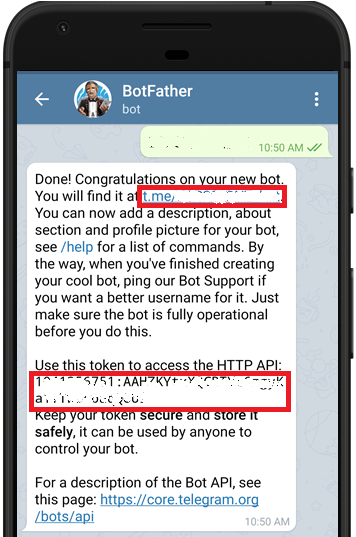
|
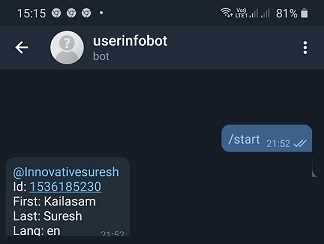
To get the Chat ID, in the Telegram App
serach for userinfobot - or @userinfobot
Once you type/click /start, you will get ID
Please note and SAVE this ID also.
You will have to enter this ID also in our Software.
A bot communication has to be pre-approved
This is done by Telegram to ensure privacy and
avoid spams and un solicited messages.
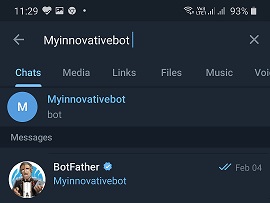
You have to first send a message to the bot.
If the bot accepts the request it will be activated
1. Search for your bot name from receiver a/c
2. Bot will receive the message
3.Cick start to accept the conversation
4.From now on bot can send messages
Back to AutoTele Main Page
Creating a BOT